
Market Data APIs
Symbol Query
Query products supported by TickDB, covering forex, indices, US stocks, HK stocks, A-shares, China futures, Hong Kong futures, and crypto markets, with the product list continuously growing.
GET
Symbol Query
Plan Access
Notes
- Market codes are case-insensitive
- You can also browse and search all supported products in the TickDB Dashboard product management page
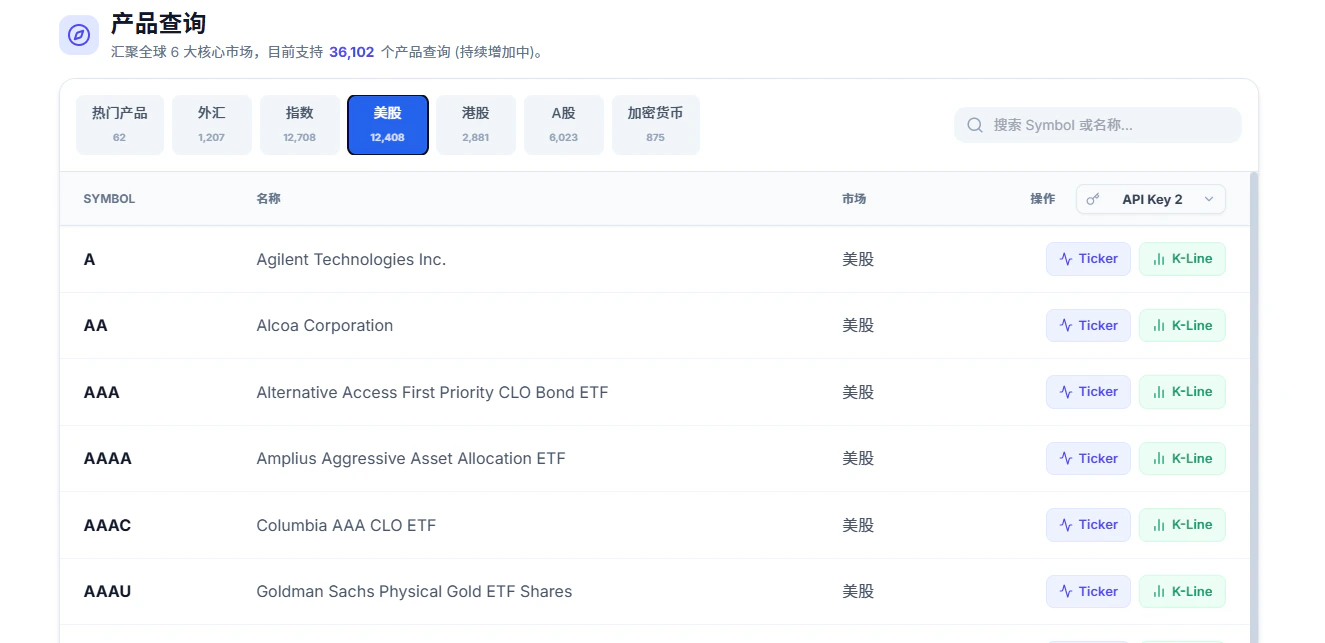
Markets & Product Types
Usemarket and type parameters to filter products flexibly. They can be used individually or combined.
marketfilters by specific market, e.g.market=CNreturns A-shares and China futurestypefilters by product category, e.g.type=stockreturns all stocks across US + HK + CN- Combined:
market=HK&type=stockreturns only HK stocks - Combined:
market=HK&type=futuresreturns only Hong Kong futures
Request Parameters
Response Fields
Authorizations
Query Parameters
Product type filter: stock, crypto, forex, indices, futures
Available options:
stock, crypto, forex, indices, futures Example:
"stock"
Market filter: GLOBAL, US, HK, CN
Available options:
GLOBAL, US, HK, CN Example:
"CN"
Number of results per page, default 100, max 1000
Required range:
1 <= x <= 1000Example:
50
Pagination offset, default 0
Required range:
x >= 0Example:
0